从dome到正式版上线,先驱者outriders依然还存在游戏崩溃的问题,暴喵君整理了官方崩溃教程,可供参考~

一般崩溃可发生在下面场景:库存/菜单/地图崩溃
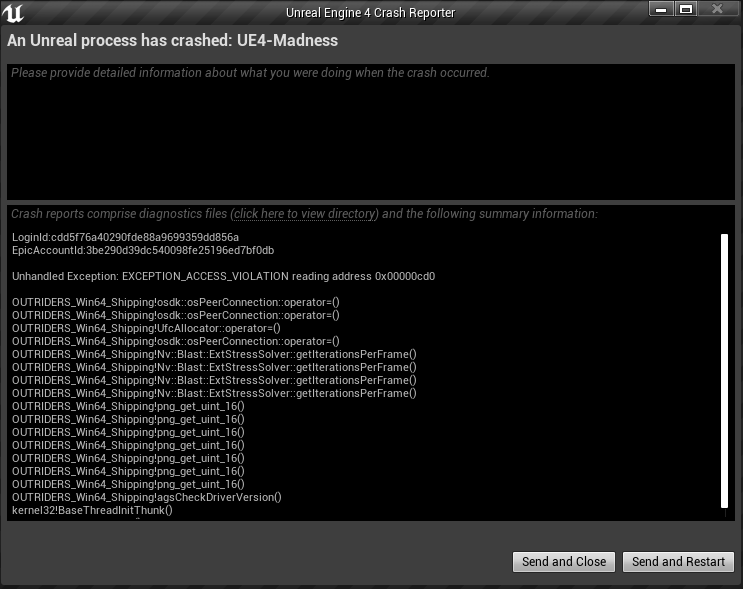
解决方法:
1、尝试修改fps,fps限制在30到59之间。fps越低,潜在发生率越低。
2、尝试将游戏置于窗口模式并禁用垂直同步。
3、尝试执行DX12 在Steam中:Outriders演示->管理->属性->启动选项->在文本框中输入“ -force -dx12”,不包含“”DX12将默认的启动。
4、进入电脑路径:C:\Users\Admin\AppData\Local\Madness\Saved\Config\WindowsNoEditor

找到Engine.ini和Gameusersettings.ini 在这两个文件的底部添加这些代码,保存后重启游戏
[SystemSettings]
r.MotionBlurQuality=0 // Gets rid of motion blur
r.SceneColorFringeQuality=0 // Gets rid of chronomatic aberration
r.DepthOfFieldQuality=0 // Gets rid of DoF
r.FastBlurThreshold=0 // Gets rid of more blur stuff
r.BlurGBuffer=0 // Gets rid of more blur stuff


转载此文请保持文章完整性,并请附上文章来源(暴喵加速器资讯站)及本页链接。
原文链接:https://www.baomiao.cn/games/archives/790
原文链接:https://www.baomiao.cn/games/archives/790